Quality-of-Life Features
RagnaKon avoids the usual private-server style of putting an instant Healer NPC and unlimited Warper NPC in town. Instead, convenience features are built around normal Ragnarok systems so players spend less time waiting without skipping the feeling of travelling and progressing through the world.
World Tour Ticket
Warper NPC Alternative — use Ragnarok's Navigation interface to travel without a custom town Warper NPC.
 World Tour Ticket lets you use the
Navigation system to move to a selected destination. Instead of choosing a
map from a custom Warper dialogue, search for the place you want through the
normal Navigation interface and use the ticket when the payment window appears.
World Tour Ticket lets you use the
Navigation system to move to a selected destination. Instead of choosing a
map from a custom Warper dialogue, search for the place you want through the
normal Navigation interface and use the ticket when the payment window appears.
World Tour Ticket
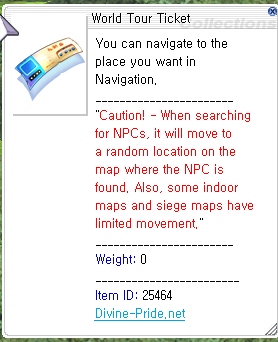
Keep a World Tour Ticket in your inventory. This is the item used instead of a custom Warper NPC.
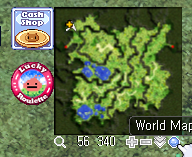
Open World Map / Navigation
Use the World Map / Navigation control beside the normal minimap.
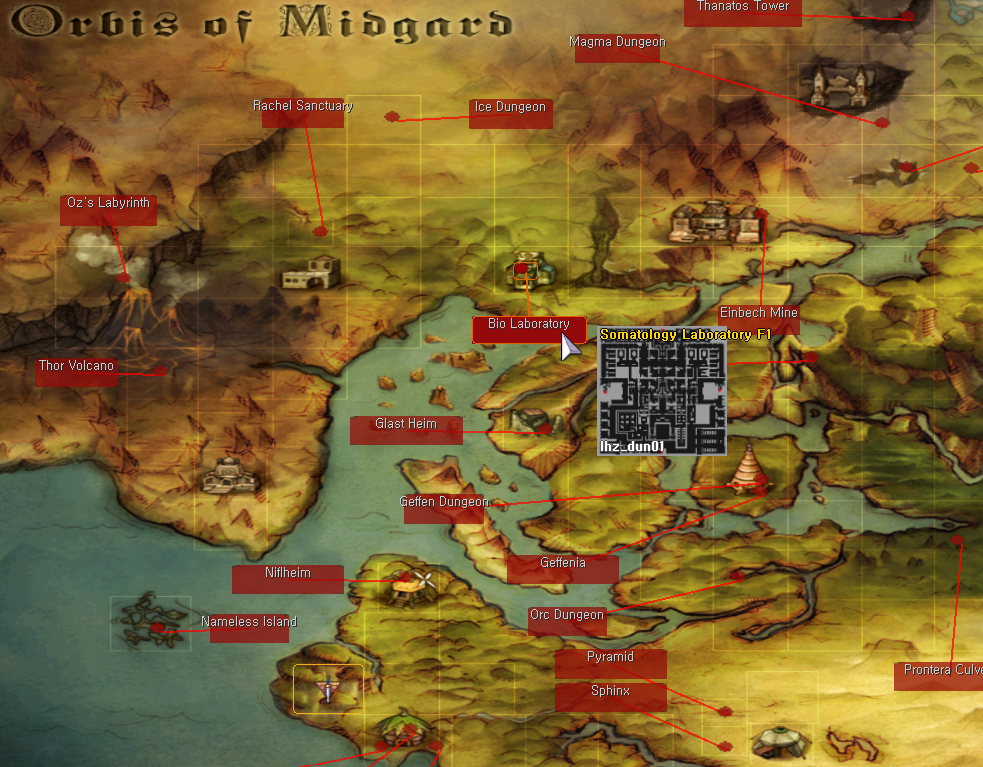
Choose the Area
Browse the larger world map and find the region or dungeon you want to visit.
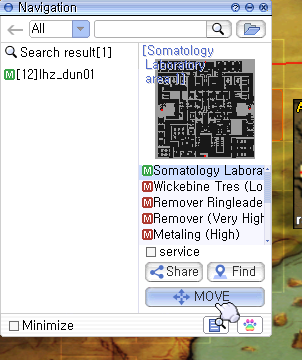
Search the Exact Destination
Find the exact map in Navigation, select the matching result, then press MOVE.
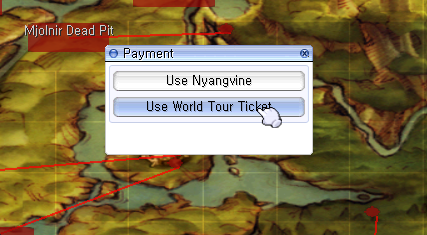
Use World Tour Ticket
When the payment window appears, choose Use World Tour Ticket.
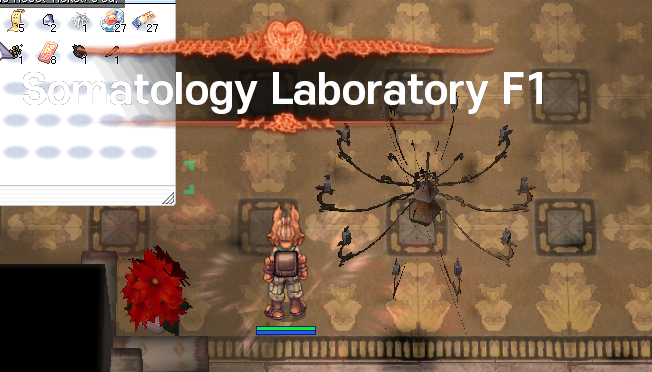
Arrive at the Destination
Your character is moved to the place selected through Navigation.
Fast Sitting Regeneration
Healer NPC Alternative — recover through sitting instead of using an instant full-heal NPC.
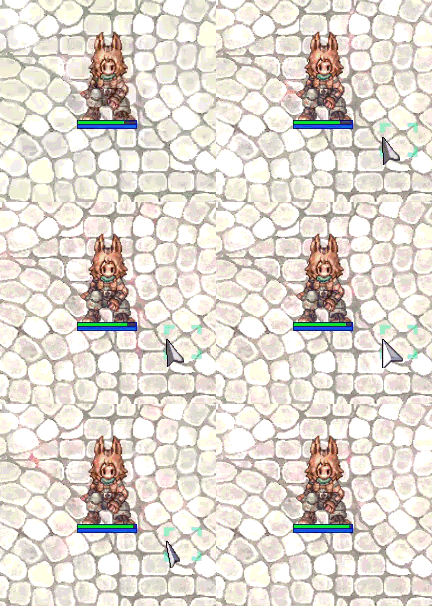
RagnaKon does not rely on a custom instant-heal NPC. Instead, sitting is used as the convenient recovery option between battles.
Sit down when you need to recover and let the server's faster sitting regeneration restore you naturally before returning to combat.
Why RagnaKon Uses These Systems
| Typical Private Server Feature | RagnaKon Alternative | Goal |
|---|---|---|
| Instant Healer NPC | Fast Sitting Regeneration | Reduce downtime without making recovery completely free and instant. |
| Unlimited Custom Warper NPC | World Tour Ticket + Navigation | Make travel convenient while still using Ragnarok's own world-navigation flow. |
Clone Vending
Clone Vending is planned as another RagnaKon convenience feature. The full usage guide and exact behavior will be added here when the feature goes live.
Autoloot Menu
Type @autoloot in-game to open the menu. Pick up every dropped item, or collect only the items and categories you choose.
Automatically pick up all dropped items. Your item and type lists stay saved.
Use your saved item ID and item type lists. Switching the toggle OFF keeps both lists.
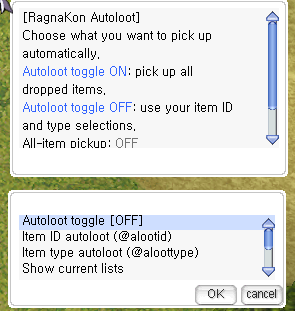
@autoloot menu.Set up your autoloot
Open the menu
Type @autoloot. Select Autoloot toggle to switch all-item pickup ON or OFF.
Choose your filters
For specific items, choose Item ID autoloot → Add an item and enter 909 for Jellopy, or an exact item name.
Add categories
Choose Item type autoloot → Add an item type. Enter card for cards or etc for materials.
Use the same menus to remove selections, show your current lists, or clear a list. Show current items also displays your available item slots. Filters apply while the all-item toggle is OFF.
Accepted item types
healingusableetcweaponarmorcardpeteggpetarmorammo
Use these exact type names; capital letters are fine. Unknown item IDs, item names, or types display a notice so you can correct the entry.
Quick commands
| Command | What it does |
|---|---|
@autoloot | Open the autoloot menu. |
@autoloot on | Turn all-item pickup ON. |
@autoloot toggle | Switch all-item pickup ON/OFF while keeping your saved lists. |
@alootid +909@alootid -909 | Add or remove Jellopy from your saved item list. Replace 909 with the item you want. |
@aloottype +card@aloottype -card | Add or remove the card category. Replace card with another accepted type. |
@alootid list@aloottype list | Show your current item or type list in chat. |
@alootid reset@aloottype reset | Clear only the corresponding saved list. The all-item toggle is unchanged. |
@autoloot help | Read the in-game instructions. |
@autoloot off | Turn autoloot OFF and clear both saved lists. |
@autoloot off, turns off all pickup and removes both saved lists.Keep inventory space and weight available. Normal loot rules still apply. Removing items, clearing lists, and changing the toggle also update your saved settings.
Useful Player Commands
RagnaKon includes a small set of information and convenience commands so players can check useful game data without needing a custom NPC for every function.
@commandsShows the commands available to your account.
@whereisChecks where a monster can normally be found.
@whodropsShows monsters that can drop a selected item.
@mobinfoDisplays useful information about a monster.
@iteminfoDisplays information about an item.
@ratesShows the server's current rates.
@timeChecks the server time.
@showexpToggles EXP gain information in chat.
@noksHelps protect against kill stealing where supported.
@hominfoDisplays Homunculus information.
@commands in-game whenever you want to see the
current command list available to you.
Offline Vending / Autotrade
Keep Your Shop Open While Offline
Merchant shops can continue vending after you disconnect, so you do not need to keep the game client open just to maintain a shop. This keeps trading convenient while preserving the normal player-driven market.
Navigation & Hunting Helpers
Navigation + @whereis
Use Ragnarok's Navigation system to find maps and NPCs, while
@whereis helps locate monsters. These tools help you find content
without adding an unlimited custom warper.
@hunt Mission Helper
Players with an active Hunting Mission can use @hunt to check
their assigned targets and current progress without returning to the mission NPC.
Website Database Tools
Item Database
Look up items from the website to check item information, equipment details, descriptions and related data without needing to be logged into the game.
Monster Database
Use the website Monster Database as a companion to in-game tools such as
@mobinfo, @whereis and @whodrops.