Hunting Missions
Hunting Missions are repeatable RagnaKon hunting assignments that reward Gold Points. Choose a difficulty and the system randomly assigns 4 monster targets from the pool for your current Base Level bracket.
NPC Location

moc_para01 44,17.
This version of Hunting Missions is inside Eden Group Headquarters,
not Prontera.
Difficulty & Rewards
| Difficulty | Random Targets | Kills Per Target | Total Kills | Reward |
|---|---|---|---|---|
| Easy | 4 | 60 | 240 | 10 Gold Points |
| Normal | 4 | 45 | 180 | 20 Gold Points |
| Hard | 4 | 30 | 120 | 30 Gold Points |
How to Start a Mission
moc_para01 44,17.Mission Ownership & Account Rules
A different character on the same account cannot progress, abandon or turn in the mission. If another character already owns it, the NPC can display the mission owner's name.
Party Sharing
| Situation | Credit? |
|---|---|
| Mission owner gets the killing blow | Yes |
| Party member from another account gets the killing blow | Yes, if the owner is alive and on the same map |
| Mission owner is dead | No |
| Mission owner is on a different map | No |
| Different character from the mission owner's own account gets the killing blow | No |
Cooldown & Abandoning
| Action | Result |
|---|---|
| Successfully complete and claim a mission | 11-hour account-wide cooldown |
| Abandon an active mission | No cooldown; another mission may be taken immediately |
@hunt Command
Use @hunt to check your active mission without returning to the NPC.
It shows the four targets, monster levels, current kill counts, required kills,
selected difficulty, Gold Point reward and overall progress.
@hunt also runs @whereis for the
target monster to help you find hunting locations.
Gold Point Shop
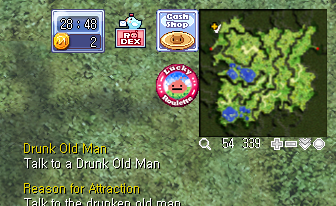
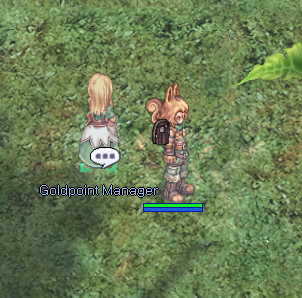
Gold Points earned from Hunting Missions can be spent through the separate Gold Point Shop. This shop is opened from the game UI rather than from the Hunting Missions NPC menu.
Gold Point Shop Items
| Item | Item ID | Gold Point Price |
|---|---|---|
 World Tour Ticket World Tour Ticket | 25464 | 1 |
 Nyangvine Mileage Coupon Nyangvine Mileage Coupon | 7000 | 5 |
 [Kachua] Mileage Coupon [Kachua] Mileage Coupon | 1000274 | 5 |
 Blacksmith's Blessing Box (3) Blacksmith's Blessing Box (3) | 101047 | 6 |
 Enriched Oridecon Enriched Oridecon | 7620 | 5 |
 Enriched Elunium Enriched Elunium | 7619 | 5 |
 Bubble Gum Bubble Gum | 12210 | 3 |
 Battle Manual Battle Manual | 12208 | 3 |
 Nyangvine Nyangvine | 6909 | 3 |
 Neuralizer Neuralizer | 12213 | 10 |
 Status Reset Book Status Reset Book | 6720 | 10 |
 Blessing Scroll Box(10) Blessing Scroll Box(10) | 14169 | 1 |
 Increases Agility Scroll Box(10) Increases Agility Scroll Box(10) | 14170 | 1 |
 HD Oridecon HD Oridecon | 6240 | 7 |
 HD Elunium HD Elunium | 6241 | 7 |
 HD Carnium HD Carnium | 6225 | 7 |
 HD Bradium HD Bradium | 6226 | 7 |
 Giant Fly Wing Box(10) Giant Fly Wing Box(10) | 12910 | 1 |
 Convex Mirror Convex Mirror | 12214 | 1 |
 Nyangvine Box(40) Nyangvine Box(40) | 17509 | 10 |
Top Hunters
The NPC records successful mission completions per character. Select View Top Hunters to see the top five characters ranked by completed Hunting Missions.
Important Notes
- Every mission contains exactly 4 randomly selected monster targets.
- Easy, Normal and Hard use separate monster lists for every Base Level bracket.
- Only the mission-owning character may abandon or claim the mission.
- Party members from other accounts may help if the mission owner is alive and on the same map.
- The 11-hour cooldown starts only after successful completion.
- Abandoning a mission has no cooldown.
- The Gold Point Shop is accessed through the separate UI button and Goldpoint Manager, not through the Hunting Missions NPC menu.